
Product design
UX/UI design for websites, systems and apps people can actually use
Pretty is not enough: a screen must take people to what they came to do, without training and without errors. OnWeb designs the experience (UX) and the interface (UI) of the products it builds, and also faithfully implements designs your team or agency already created.
- fidelity score to the approved design on Safetline pages
- 95
- fidelity score to the approved design on Safetline pages
- font sizes across an entire website, as a product decision
- 4
- font sizes across an entire website, as a product decision
- phone width checked on every delivery
- 390px
- phone width checked on every delivery
- minimum accessibility contrast as standard
- AA
- minimum accessibility contrast as standard
UX and UI: what each one solves
UX (user experience) is the path: which information comes first, how many steps to finish a task, what happens on an error. UI (user interface) is the form: typography, colors, spacing, components and the states of every button.
On a website, good UX means the visitor finds the product and requests a quote without searching. In an internal system, it means the team registers a product with 400 variants without getting lost. Both need consistent UI, because inconsistency is what makes people doubt whether they clicked the right thing.
What we do in UX/UI
Research and interviews
with current users, to understand tasks, pain points and vocabulary.
Information architecture
menus, hierarchy and names that make sense to users, not to the org chart.
Flows and prototypes
clickable journeys to validate before building.
Interface design
final, responsive screens with loading, error and empty states.
Design system
documented components, colors and typography to grow without becoming a patchwork.
Faithful implementation
the approved design reproduced in code, measured to the pixel.
From approved design to live site, without losing detail
Many companies arrive with the design ready, made by an agency or in-house. The problem usually shows later: wrong font weights, crooked spacing, squashed images. OnWeb treats fidelity as a metric.
At Safetline, each page was compared section by section with the approved design, with fonts, spacing and heights measured by tooling, until fidelity scores passed 90. The same rigor applies to mobile: every delivery is checked at 390 pixels wide.
UX for internal systems
Internal systems are often built in a hurry and used for years. Small UX decisions save hours every week: search that accepts name, ID or number; filters that remember the last choice; bulk actions; keyboard shortcuts; confirmations only where mistakes are costly.
In OnWeb panels, each area has help text written for the end user ("recommended size 1215 x 831 px, white or transparent background"), not technical jargon. That is what lets the client's team run things on their own.
Accessibility and performance are part of design
Minimum contrast, touch target size, keyboard navigation, alt text and light and dark themes are in the project from the first screen. So is performance: light images, properly loaded fonts and a layout that does not jump while the page opens, which weighs on Google's metrics.
What you get
Documented research
what we learned from users and what it changes in the product.
Flows and prototypes
key clickable, validated journeys.
Final screens
desktop and mobile, with every state.
Design system
components and tokens in code, ready to reuse.
Implementation
the interface built and checked against the design.
Usability tests
adjustments from people actually using it.
How we approach design
- 01
Understand
business goals, users and the most important tasks.
- 02
Structure
information architecture and flows.
- 03
One reference screen
we approve one complete screen before producing the rest.
- 04
Scale
the rest of the product with the same visual system.
- 05
Measure
comparison against the design and tests with users.
Built by OnWeb
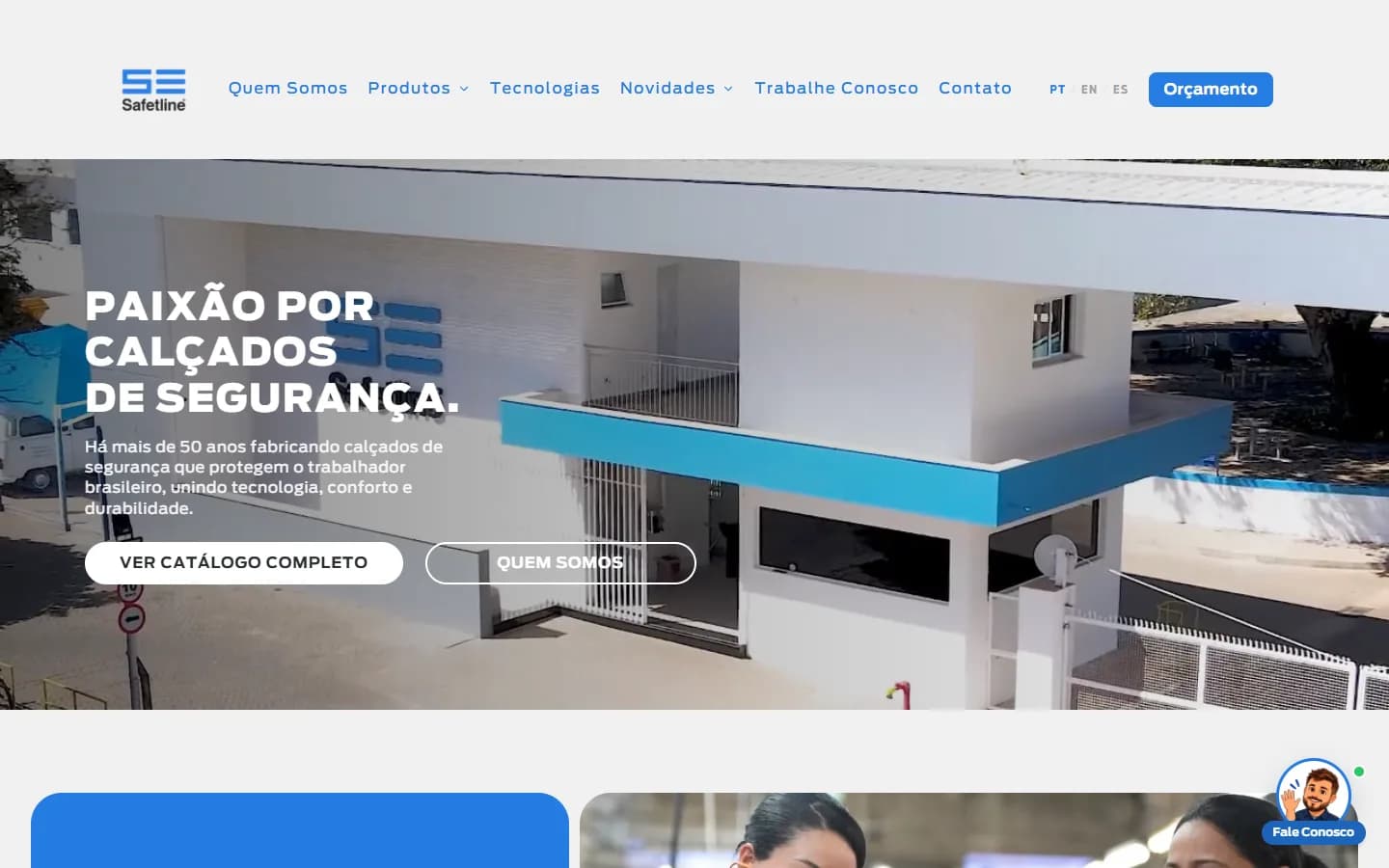
Manufacturing · Safety footwear
Safetline
A three-language website with its own management panel, an AI assistant that recommends products, 3D models generated from photos and 627 legacy URLs migrated without losing Google.
Read the case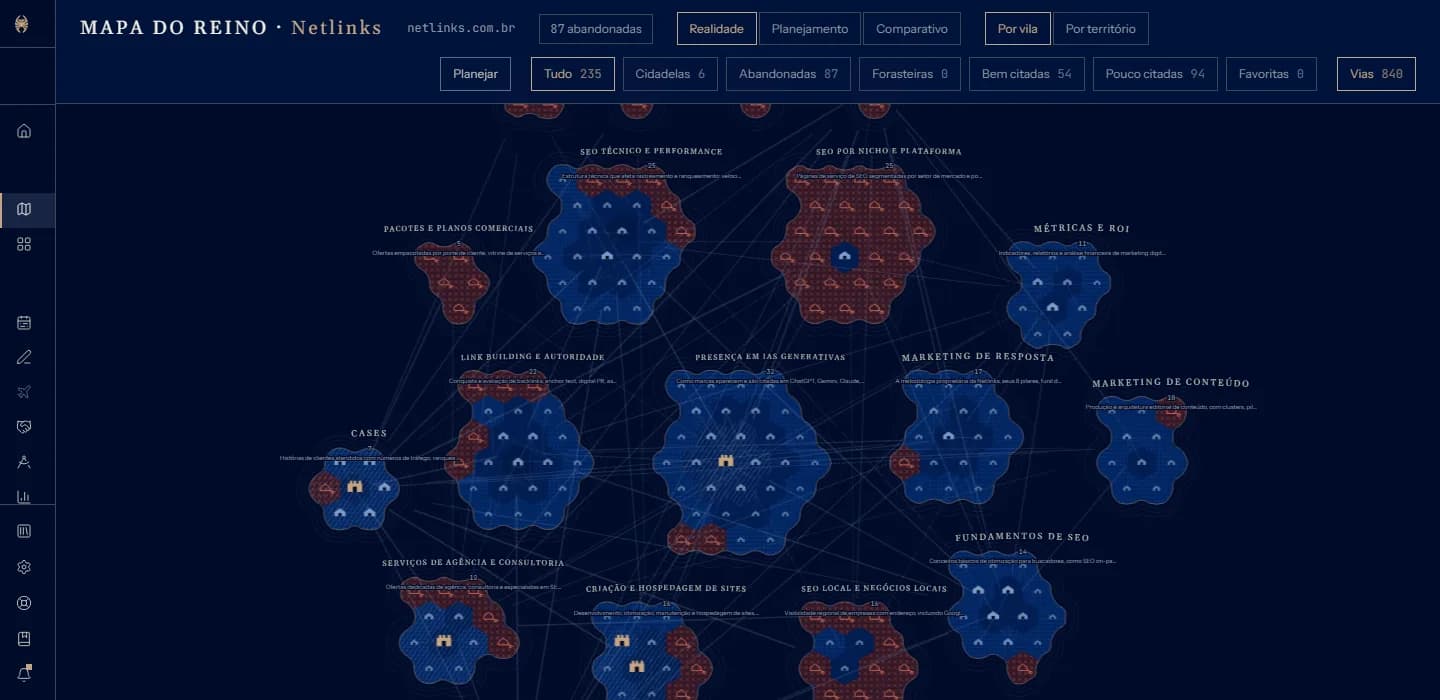
SaaS · SEO and GEO
Crownler
An SEO and GEO SaaS in four languages: it reads the whole site and draws it as a map, tracks Google and AI answers, produces content and talks to AI agents via API and MCP.
Read the case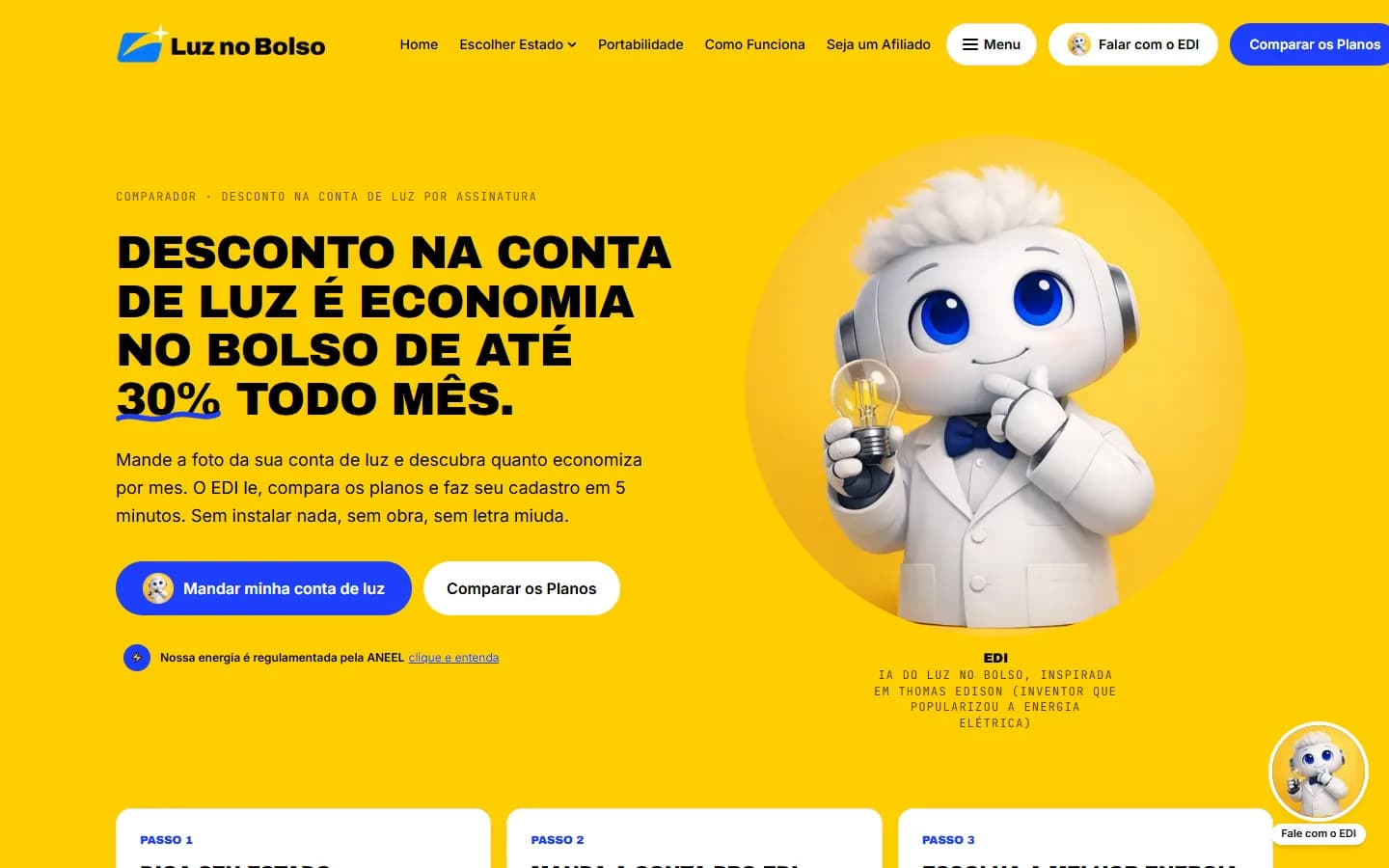
Energy · Community solar comparison
Luz no Bolso
A community solar comparison platform with 75 companies in 26 Brazilian states and EDI, an AI that reads a photo of the electricity bill, compares local providers and completes sign-up in the chat.
Read the caseFrequently asked questions
Do you only design or also develop?
Both. OnWeb designs with the build in mind, and the same team develops it. We also implement designs made by other agencies.
Do you use Figma?
We use whatever tools the project needs, including Figma and Canva when the client's design comes from there. The final design system lives in code so it never goes stale.
How long does UX/UI for a system take?
It depends on the number of flows. We work by module: the first module's design is ready before its development starts.
Can you improve the UX of an existing system?
Yes. We start by observing usage, list friction points and redesign by priority, without stopping operations.
Related services
Shall we turn your business on?
Tell us what you need. We reply with a diagnosis of the technical path, timeline and investment, with no strings attached.