
WhatsApp with AI
AI WhatsApp chatbot, connected to your CRM and your team
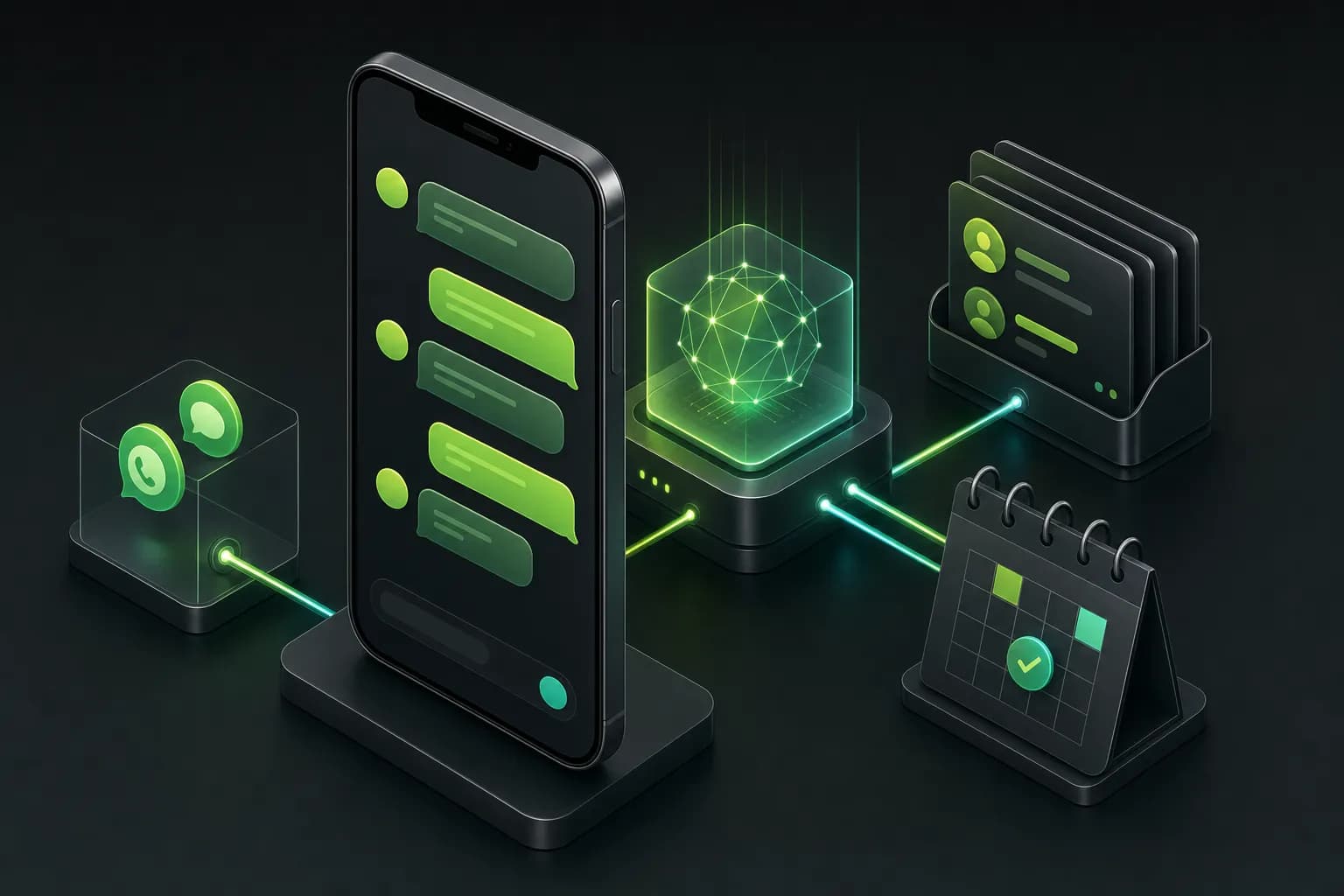
Your customers are on WhatsApp. Your chatbot should be too, but without menu trees and without being cut off from operations. OnWeb puts AI on your company's WhatsApp, connected to the CRM, with the team seeing and answering everything from the same inbox.
- client WhatsApp groups run from the Netlinks Group inbox
- 23
- client WhatsApp groups run from the Netlinks Group inbox
- AI modes per conversation: off, suggest or answer
- 3
- AI modes per conversation: off, suggest or answer
- notes transcribed and answered, even by voice
- Voice
- notes transcribed and answered, even by voice
- inbox for AI and human team
- 1
- inbox for AI and human team
What an AI WhatsApp chatbot does differently
The traditional WhatsApp chatbot is a menu: type 1 for sales, 2 for support. Customers get annoyed, type anything and land with an agent who does not know what happened before.
An AI chatbot understands what the person wrote (or said, in a voice note), queries company data, answers with real information and takes the next step: books, quotes, opens a ticket, logs it in the CRM. When a human is needed, it hands over the conversation with full context.
24/7 service
questions, order status, invoice copies and scheduling at any hour.
Lead qualification
asks the right questions, calculates a proposal and hands sales a ready lead.
CRM integration
every conversation becomes a contact and a deal, with no copy-paste.
Voice and images
transcribes voice notes, reads document photos and replies by voice when it fits.
Team in the same place
agents see the conversation, take over and reply from the inbox under their own name.
Client groups
for B2B, the AI joins each client's group in the brand's voice.
The Netlinks Group case: every WhatsApp in one inbox
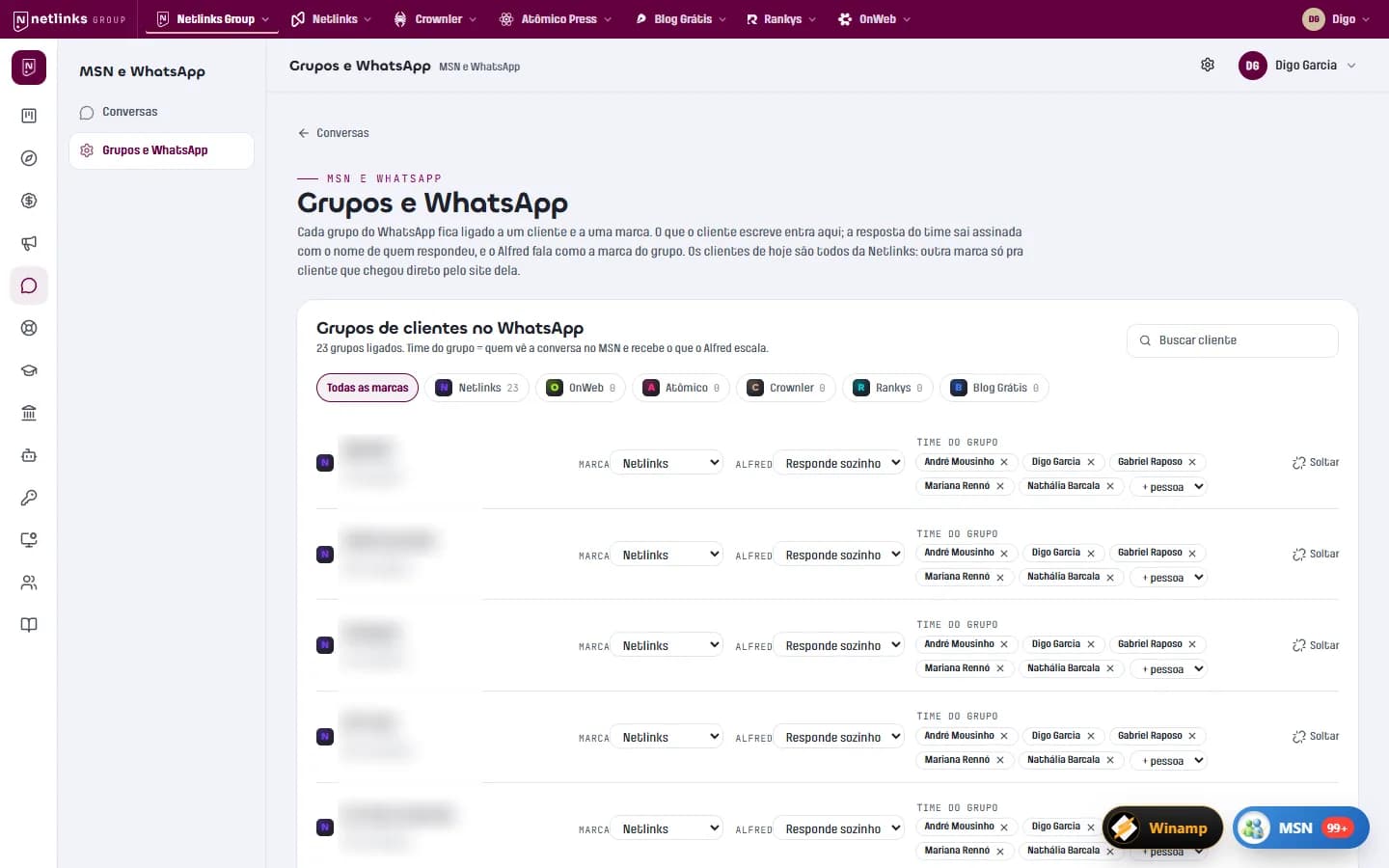
The Netlinks Group serves dozens of companies in WhatsApp groups. OnWeb built MSN, an inbox where all those groups sit side by side with the team's internal conversations. What the client writes arrives in the inbox; the team's reply goes out on WhatsApp signed with the replier's name.
In each group, Alfred (the group's AI) can be off, suggest replies for the team to approve or answer on its own. It checks the client's history, looks at the calendar before proposing a meeting time and answers voice with voice. See the full case.
Official WhatsApp API or a connected number?
There are two technical paths. The official WhatsApp Business Platform (Meta's Cloud API) is the route for service at scale, with a verified number, approved message templates and per-conversation pricing. Connecting a regular number through a session is used when the operation depends on groups, which the official API does not cover.
During discovery OnWeb recommends the right path for your case, considering volume, conversation type (one-to-one or group), outbound needs and Meta's policies. Both connect to the same inbox and the same AI.
Rules that protect the brand
AI speaking on behalf of the company needs clear limits:
- Controlled knowledge base: the AI answers with what is in your records and policies.
- No off-policy promises: price, deadline and discount come from the system, never from the model's creativity.
- Human escalation: complaints, negotiation and sensitive topics go to the team, with an alert.
- Privacy: personal data handled with consent, stored with restricted access and deletable on request (LGPD and GDPR).
What you get
Number or API set up
your company WhatsApp connected the right way for your volume.
AI trained on your business
knowledge base, tone of voice and service rules.
Service inbox
team and AI in the same conversations, with history and owner.
CRM integration
contacts, deals and tasks created from conversations.
Reports
volume, response time and what the AI solved on its own.
Evolution
new flows and answer tuning from real conversations.
How we go live
- 01
Reading current conversations
what customers ask, when and where the team loses time.
- 02
Service design
what the AI solves, what it routes and with which data.
- 03
Integration
WhatsApp, CRM and systems connected to the inbox.
- 04
Pilot in suggestion mode
the AI suggests, the team approves and answers are calibrated.
- 05
Autonomy in stages
the AI starts answering alone where it has proven accurate.
Built by OnWeb
Internal platform · AI-powered operations
App Netlinks and Netlinks Group
The platform that runs the Netlinks Group: an MSN-style inbox integrated with clients' WhatsApp groups, Alfred answering as customer success, and finance that issues invoices and reads the bank balance on its own.
Read the case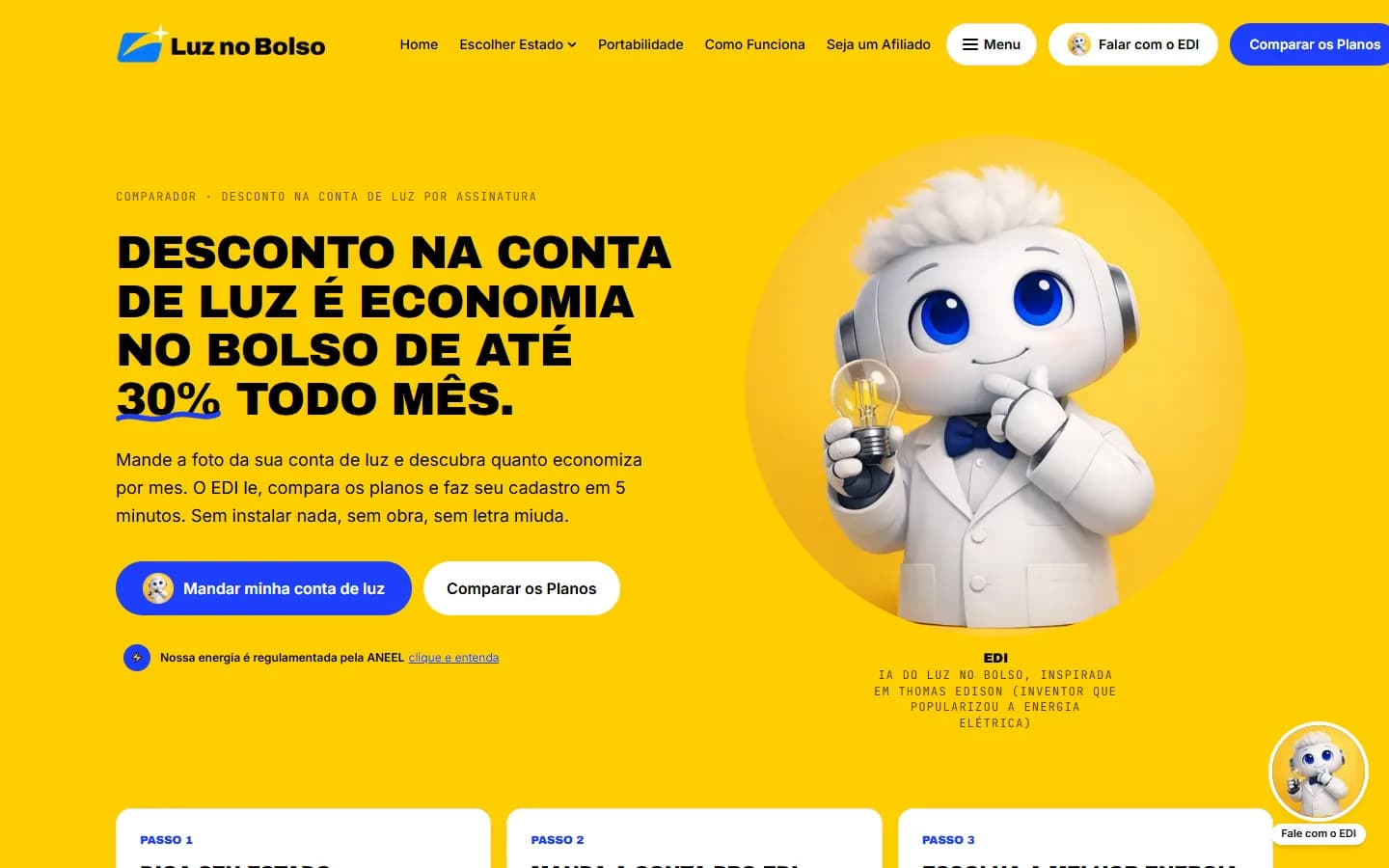
Energy · Community solar comparison
Luz no Bolso
A community solar comparison platform with 75 companies in 26 Brazilian states and EDI, an AI that reads a photo of the electricity bill, compares local providers and completes sign-up in the chat.
Read the case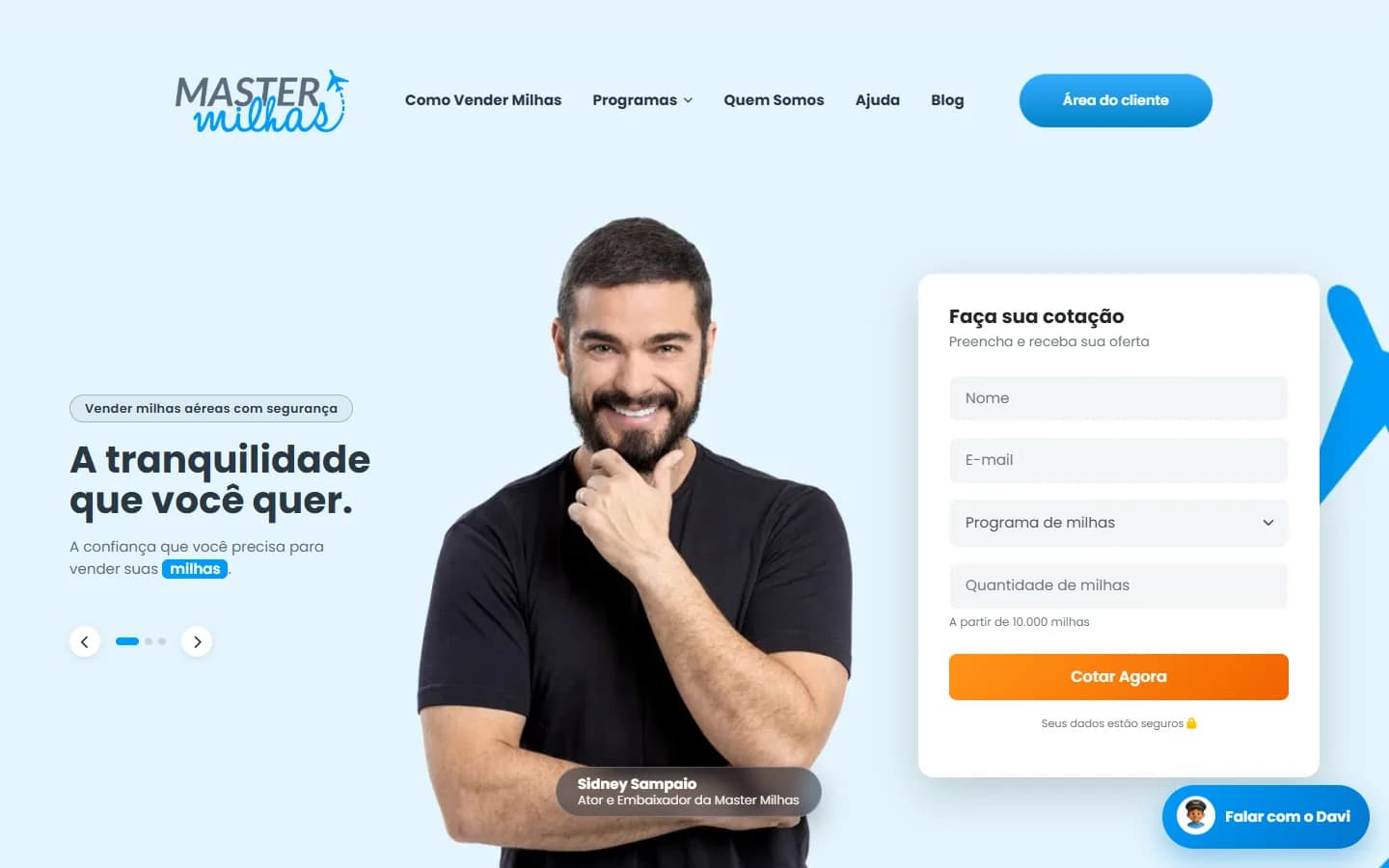
Travel · Airline miles buying
Master Milhas
A website with instant quotes, a custom CRM with a deal pipeline, a client area and Davi, an AI chatbot that checks the day's price and creates the quote in the CRM.
Read the caseFrequently asked questions
Does an AI WhatsApp chatbot replace human agents?
It solves the repetitive part on its own and prepares the rest. Agents receive the conversation with context and handle what needs human judgment.
Do I need the official WhatsApp API?
For one-to-one service at scale, yes, it is the recommended route. For operations in WhatsApp groups, the official API does not apply and we use another connection method. OnWeb recommends the best path in the assessment.
Does the chatbot understand voice notes?
Yes. Voice notes are transcribed automatically and the AI replies by text or by voice.
Can it integrate with the CRM I already use?
Yes, via API. We can also build a custom CRM designed for WhatsApp from the start.
How much does an AI WhatsApp chatbot cost?
It depends on conversation volume, integrations and channel (the official API has Meta's per-conversation fees). AI usage typically costs cents per conversation. Talk to us for an estimate.
Related services
Shall we turn your business on?
Tell us what you need. We reply with a diagnosis of the technical path, timeline and investment, with no strings attached.